🤖Have you ever tried Chat.M5Stack.com before asking??😎
  • Ayuda con latencia Bluetooth en proyecto de control para Game Android

    2
    0 Votes
    2 Posts
    2k Views
    Y
    @samantha_martin Hola Samantha. El M5StickC Plus (SKU:K016-P) utiliza el chip ESP32-PICO-D4, que integra Bluetooth LE. Para reducir la latencia en la transmisión HID, puedes probar las siguientes acciones: Optimizar la frecuencia de envío de datos: En las librerías ESP32-BLE-Keyboard o BleGamepad, ajusta el intervalo de notificación BLE a un valor más bajo (por ejemplo, 10-20 ms). Algunas librerías permiten configurar esto al inicializar el dispositivo HID. Minimizar el código en el loop(): Asegúrate de que no haya delays innecesarios ni tareas bloqueantes (como impresiones Serial) que ralenticen la detección de botones y el envío de comandos. Configurar el modo BLE de bajo consumo: Aunque el ESP32-PICO-D4 es eficiente, verifica que no se encuentre en modos de suspensión prolongada. Asegúrate de que el dispositivo BLE esté configurado para enviar notificaciones inmediatamente al detectar una pulsación. Actualizar el firmware del ESP32: Usa la última versión del core ESP32 en Arduino IDE, ya que a menudo incluyen optimizaciones en el stack BLE. Verificar la configuración de Android: En el menú de configuración de Bluetooth de tu teléfono, desactiva opciones como "Ahorro de batería" para el dispositivo M5StickC Plus, ya que pueden restringir la frecuencia de actualizaciones HID. https://chat.m5stack.com/

  • timescamps of the photos taken by V-training

    1
    0 Votes
    1 Posts
    836 Views
    No one has replied
  • timescamps of the photos taken by V-training

    2
    0 Votes
    2 Posts
    1k Views
    Y
    @naofuruta The issue with the timestamp being set to 2075 on photos taken with V-Training is likely due to a firmware or configuration problem. Here’s how you can fix it: Steps to Resolve: Update Firmware: Ensure your M5StickV or the device running V-Training has the latest firmware installed. Outdated firmware can cause incorrect timestamps. Download the latest firmware from the M5Stack official website. Check RTC (Real-Time Clock): The device’s RTC might not be properly set. Use the following steps to sync the time: Connect the device to Wi-Fi (if supported) to sync the time automatically. Manually set the RTC using the device’s configuration menu or via a script. Reconfigure V-Training: Reset the V-Training application settings to default and reconfigure it. Ensure the timestamp settings in the app are correctly configured. Verify SD Card: A corrupted or improperly formatted SD card can cause timestamp issues. Format the SD card to FAT32 and try again. Factory Reset: If the issue persists, perform a factory reset on the device and reinstall the firmware and V-Training application. Additional Notes: If the problem continues, contact support@m5stack.com for further assistance. Provide details such as the device model, firmware version, and steps you’ve already tried. https://chat.m5stack.com/
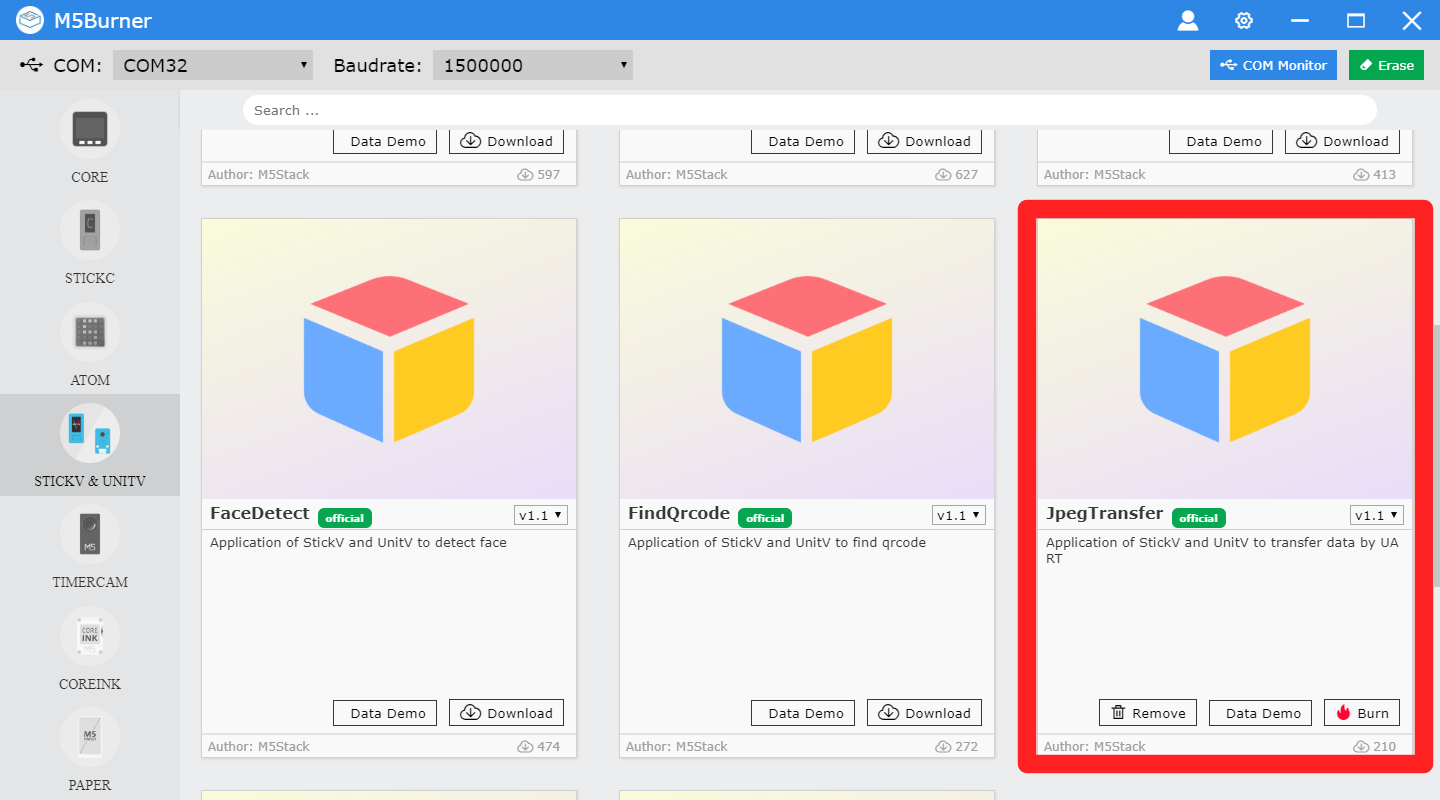
  • UnitV JpegTransfer firmware

    4
    1
    0 Votes
    4 Posts
    8k Views
    E
    @m5stack I got to necro this thread, since I want to transfer JPEG from UnitV (2640) to Fire Core.
  • Hardware flaws M5StickC plus 2

    m5stickc plus
    1
    0 Votes
    1 Posts
    3k Views
    No one has replied
  • dead sd card slot.

    1
    0 Votes
    1 Posts
    3k Views
    No one has replied
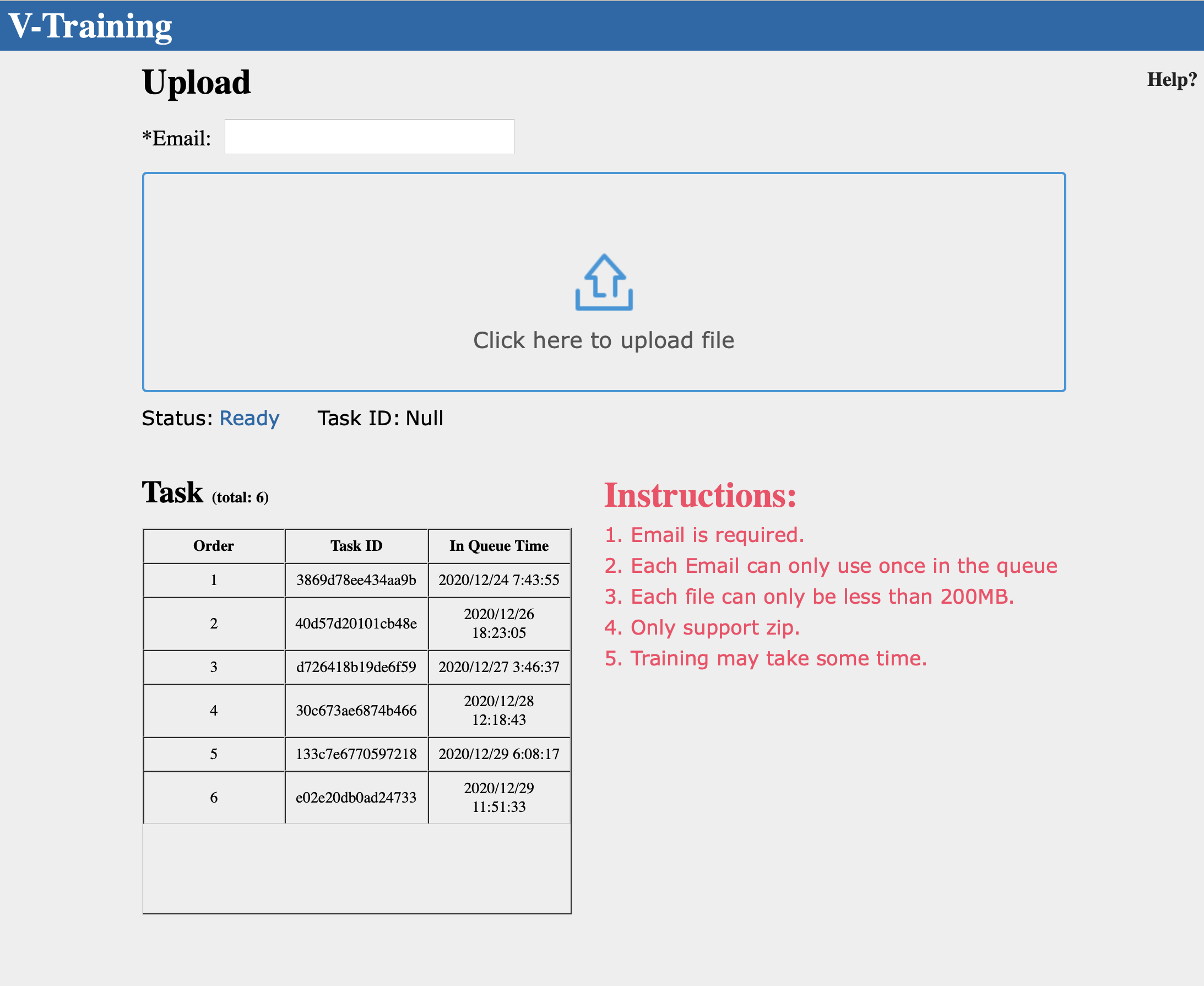
  • V-Training Service is active now??

    v-training
    12
    1
    0 Votes
    12 Posts
    25k Views
    H
    I'm also waiting on this. It looks like there are items in the queue since 12/2/2022.
  • How to access the json results of m5 unitv2

    2
    0 Votes
    2 Posts
    5k Views
    D
    I have got the same question.
  • V-training service is not active for a while

    2
    0 Votes
    2 Posts
    4k Views
    ajb2k3A
    Jimmy did reply on twitter that there was an issue they found with V-Training and they were in the process of rebuilding the server as they couldn’t get to to work with some of the devices.
  • M5StickV: V-training not works

    1
    0 Votes
    1 Posts
    3k Views
    No one has replied
  • Any updates on the mpu6886?

    8
    0 Votes
    8 Posts
    21k Views
    P
    @staberas This code was very helpful. Thanks! I tried adding temperature as well: tmp = i2c.readfrom_mem(MPU6886_ADDRESS, MPU6886_TEMP_OUT_H, 2) temp = (tmp[0]<<8|tmp[1]) temp = (float(temp) / 326.8) + 25.0; I'm getting temps of 40.5C (105F). Am I doing something wrong or is this temperature the CPU temp? Thanks, /Chris
  • Problems with M5stick V

    1
    1
    0 Votes
    1 Posts
    4k Views
    No one has replied
  • M5stack V uart communication

    5
    0 Votes
    5 Posts
    16k Views
    S
    Hello, I also bought the same m5stack and m5stick v products, I have the same problem. can you help me to be able to communicate my camera with the m5stack, knowing that I program my camera with maixpy ​​and the m5stack with arduino thank you in advance.
  • Unitv2 not connection to my computer.

    2
    0 Votes
    2 Posts
    5k Views
    A
    Any help. The network drivers just dont work.
  • MAixPy gone 404 ?

    1
    0 Votes
    1 Posts
    4k Views
    No one has replied
  • M5StickV

    2
    0 Votes
    2 Posts
    4k Views
    m5stackM
    I think the better way is use the maixpy to make sure the TF Card can mount to the File System or try more different TF Card.
  • M5-StickV K210 Starting Run Recognition Program fails

    1
    1
    0 Votes
    1 Posts
    4k Views
    No one has replied
  • M5StickV won't turn back on

    3
    0 Votes
    3 Posts
    7k Views
    B
    so i asume its fixed now then? i also ran in to the problem a while ago turned out if you activate the burner it works to
  • running mobilenet on m5stickv

    1
    0 Votes
    1 Posts
    5k Views
    No one has replied
  • 0 Votes
    1 Posts
    5k Views
    No one has replied