[UIFLOW] Add a comment block.
-
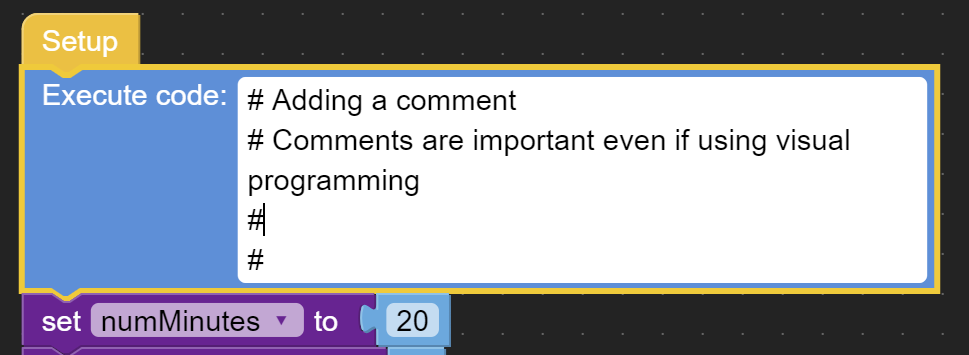
Sorry if I missed something but I beleive comments are missing from UIFlow.
While looking at visual code it is possible to determine what functions are being called but not the intent of the programmer.
Also when used as a teaching tool encouraging comments encourages documentation.
The alternative is to use th "Execute code:" block or document externally.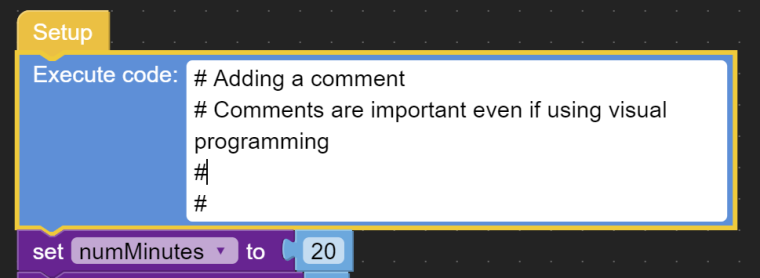 [UIFLOW] Add acomment block.
 -
I have mentioned it several times but people don't like to search so well done for discovering it for yourself and sharing.
-
The official way to add comments only adds them to UIFlow (they are not exported into the python code)
You can right-click any block and select "Add comment", which enables a question mark icon on the block. Clicking that icon lets you add a comment in a bubble.
(I use those comments to describe why I did something specifically in UIflow/blockly.)The unofficial way is the code block you show. Those comments DO get exported into the python code.
(I use those comments for things like describing variables usage and (re)configuration, stuff people would still need to know when using the micropython code directly.)It would however be wonderful to have one official "Comment block" block that could be set to work either way, and set to start expanded or collapsed, etc.
I think it would be wise to retain "Insert into python code" or not as an option, as each type has advantages in different circumstances.

Hello! It looks like you're interested in this conversation, but you don't have an account yet.
Getting fed up of having to scroll through the same posts each visit? When you register for an account, you'll always come back to exactly where you were before, and choose to be notified of new replies (either via email, or push notification). You'll also be able to save bookmarks and upvote posts to show your appreciation to other community members.
With your input, this post could be even better 💗
Register Login