[Cardputer] WiFi Remote Display ADV V1.0 - Open Source Screen Mirroring Payload
-
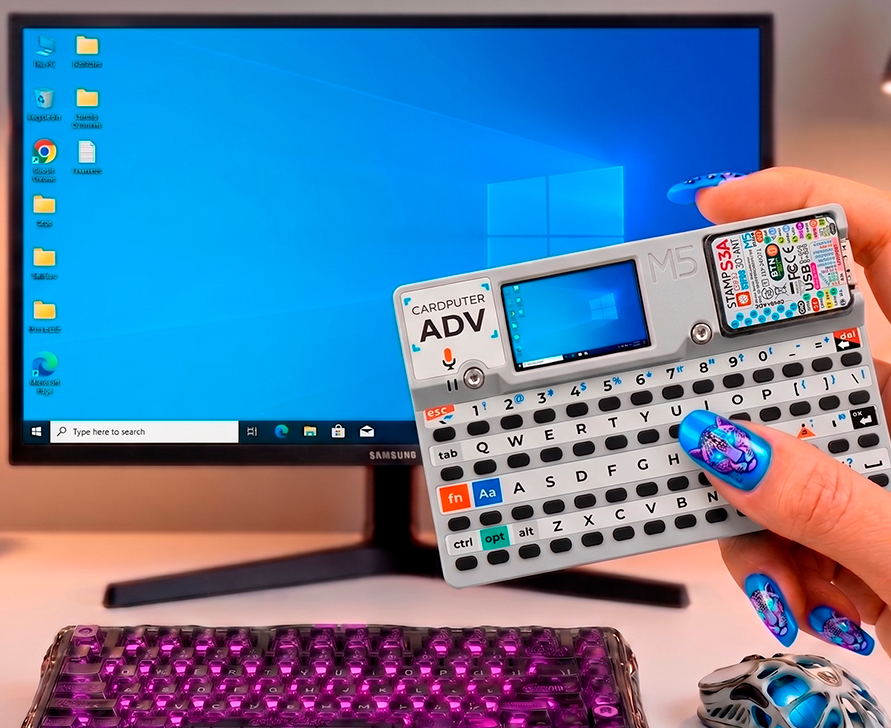
Hi everyone!
I want to share my new open-source project for the Cardputer: WiFi Remote Display ADV (V1.0).
It turns your Cardputer into an ultra-low latency wireless mini-monitor for your Windows PC.How it works:
It uses the Cardputer as a USB HID device to seamlessly inject a Python-based UDP streaming script directly into your PC's PowerShell. It then receives the high-speed adaptive desktop video over your local Wi-Fi network.Key Features:
- 🔒 100% Open Source & Safe: The Cardputer types the script visibly in PowerShell and pauses at the end. It will NOT execute until you manually press
ENTERon your PC, so you have full control. - ⚡ True Adaptive Quality: Dynamically downgrades PC-side JPEG compression if lag is detected to maintain smooth FPS.
- 🎮 Interactive Controls: Live Pan & Zoom using the Cardputer keyboard.
- 💾 NVS Memory: Saves your Wi-Fi credentials autonomously (no SD card needed).
[WARNING]
CRITICAL REQUIREMENTS (Must Read):- Python MUST be installed on the target Windows PC and added to the system
PATH. The streaming engine relies on it. - PC and Cardputer must be on the SAME Wi-Fi network.
- The target PC keyboard layout MUST be set to English during the USB injection.
Where to get it:
- Download via M5Burner: Search for
WiFi Remote Display ADVorZeloksa. - Source code and
.binfiles on GitHub: https://github.com/Zeloksa/WiFi-Remote-Display-ADV
I'd love to hear your feedback or answer any questions. Enjoy! 🚀
- 🔒 100% Open Source & Safe: The Cardputer types the script visibly in PowerShell and pauses at the end. It will NOT execute until you manually press

Hello! It looks like you're interested in this conversation, but you don't have an account yet.
Getting fed up of having to scroll through the same posts each visit? When you register for an account, you'll always come back to exactly where you were before, and choose to be notified of new replies (either via email, or push notification). You'll also be able to save bookmarks and upvote posts to show your appreciation to other community members.
With your input, this post could be even better 💗
Register Login