m5burner gotcha
-
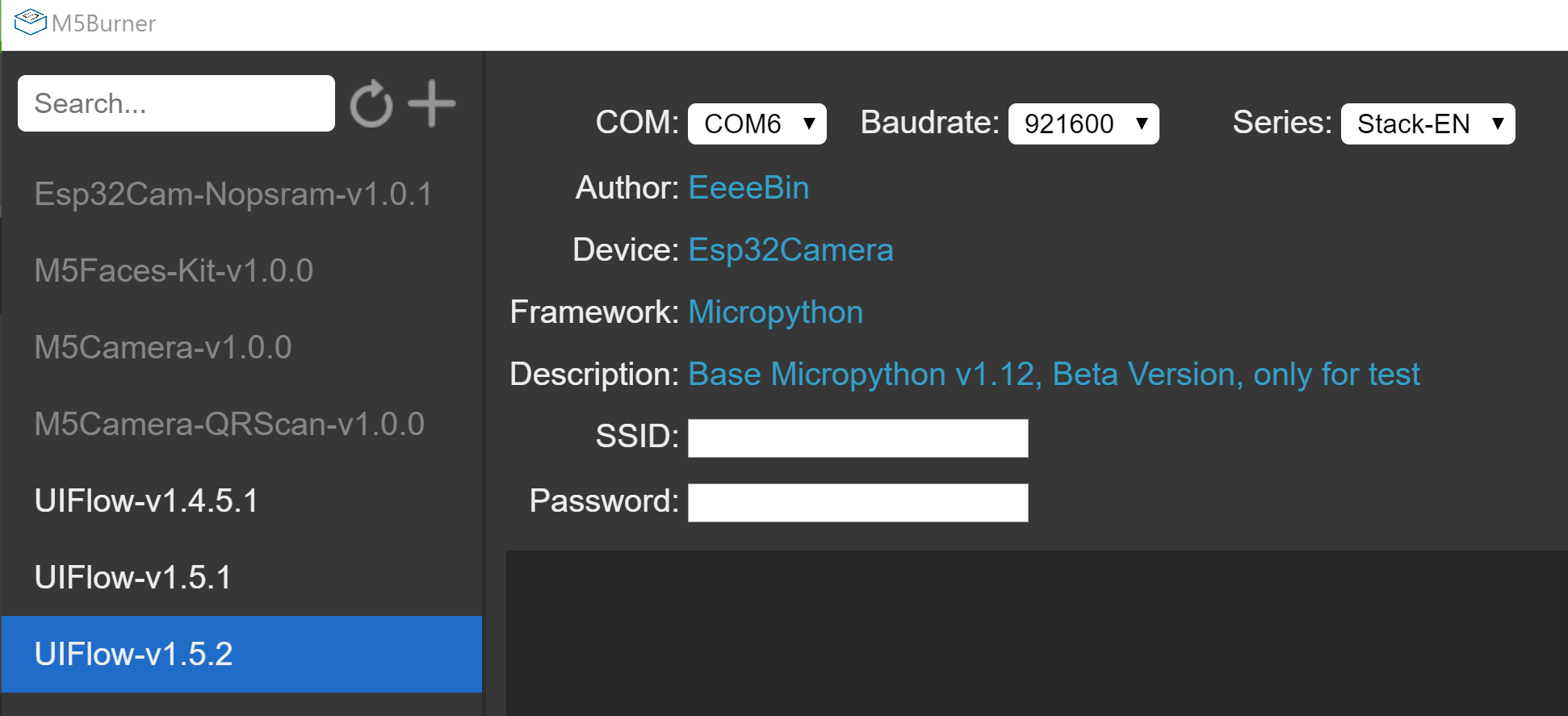
I have noticed that, when the burner starts up (either independently, or through uiflow), it points to Esp32Cam-Nopsram-v1.0.1, and the Device is Esp32Camera.
When I click on e.g. UIFlow-v1.5.2, the Device remains Esp32Camera:
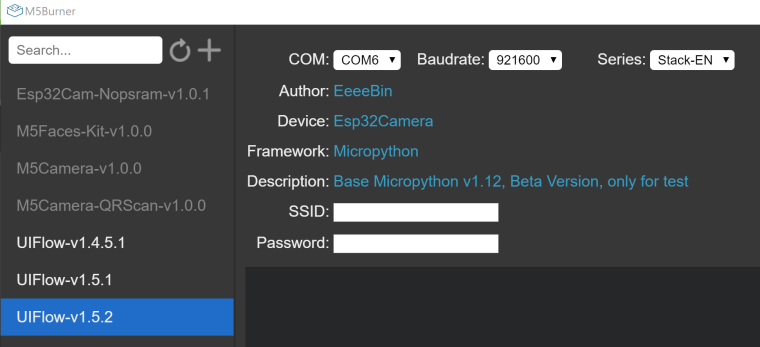
I found out by accident that it actually does burn the Esp32Camera firmware, because that firmware doesn't support WiFi, and neither did my image. The fix/workaround is to click on the firmware (e.g. UIFlow-v1.5.2) again, and then the device switches to M5Stack Core.
Caveat burner! :)
-
Yeah, I noticed that yesterday as well. I have gotten into the habit of double checking all the settings before burning (com port, baud, series, SSID, etc.)
-
the old version M5Burner alrady stop maintenance. for a better experience, pls use our new version.
download page:
https://m5stack.com/pages/download -
@m5stack I was using the version that comes up when you click "FirmwareBurner" in M5Flow on the PC. My version of M5Flow is 1.0.9.3: The M5burner that comes up doesn't appear to have a version.
Do you mean the beta version at the link? I don't know if you update the version that shows up in File Explorer properties, but both the version of M5Burner that I downloaded in March and the one I downloaded today claim version 1.0.0.0, and the M5Burner.exe versions are byte-for-byte identical. -
@dclaar i mean is the beta version. it upgraded UI and add some new function , like serial tool.
-
Beta version (v2.0.0 for Mac) looks nice. Thanks @m5stack.

Hello! It looks like you're interested in this conversation, but you don't have an account yet.
Getting fed up of having to scroll through the same posts each visit? When you register for an account, you'll always come back to exactly where you were before, and choose to be notified of new replies (either via email, or push notification). You'll also be able to save bookmarks and upvote posts to show your appreciation to other community members.
With your input, this post could be even better 💗
Register Login