Core-Ink Screen rotation
-
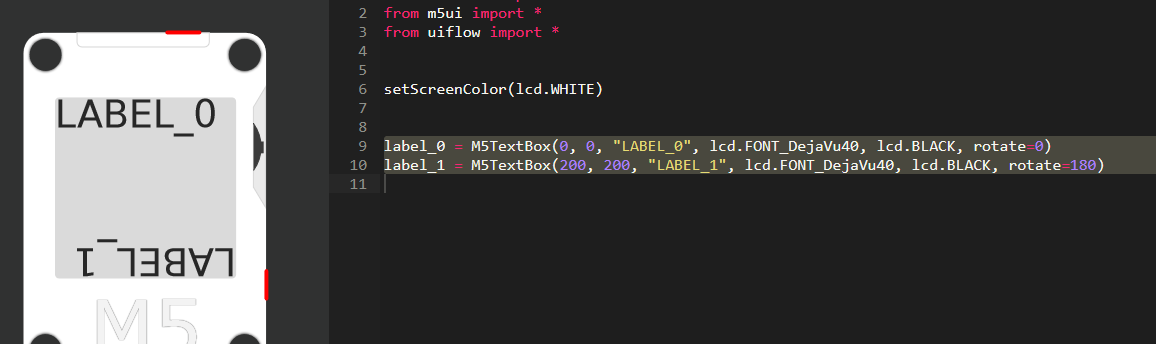
I have an application where I need to put the Core-Ink upside down, hence I would like to rotate the complete screen output 180 degrees. I use only text labels
I tried to transform the output manually but I ran i to a problem with M5TextBox function.
It seems to limit the maximum coordinates by some value that depends on the font size.Here I have two labels defined with corresponding python code in the M5Flow:
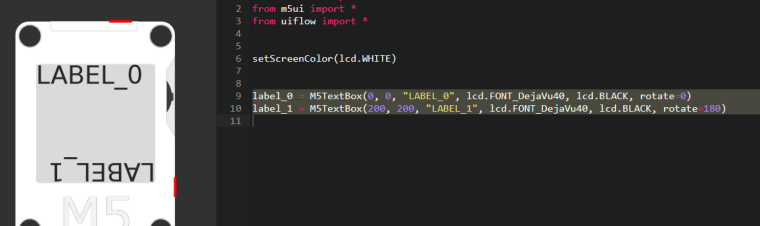
This code however does not work. LABEL_1 is not shown on the screen.
I have to change the coordinates of the LABEL_1 to less than (160,160) and then the output works but looks like this:
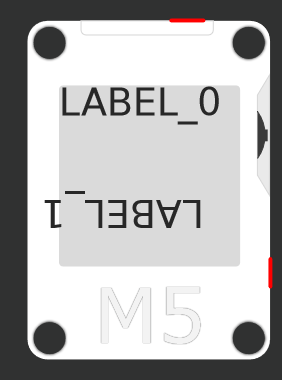
The coordinates of the M5TextBox seems to be limited to (200 - <font size>) i.e. 160 for DejaVu40, 176 for DejaVu24 etc.I have also tried the lcd.setRotation() but it does not seem to do anything.
Yes the screenshots are from the M5flow but I have tried this on the Core-Ink :)
Hello! It looks like you're interested in this conversation, but you don't have an account yet.
Getting fed up of having to scroll through the same posts each visit? When you register for an account, you'll always come back to exactly where you were before, and choose to be notified of new replies (either via email, or push notification). You'll also be able to save bookmarks and upvote posts to show your appreciation to other community members.
With your input, this post could be even better 💗
Register Login