TimerCamera-X and MicroPython
-
Hi,
I wish to program TimerCamera-X using MicroPython but when I flash them using this:
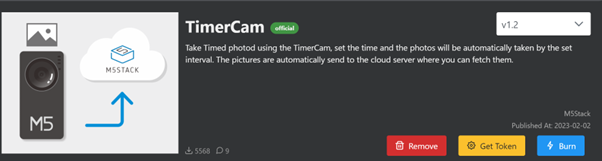
I get this shell message in Thonny even before I start to program:
Device is busy or does not respond. Your options:
- wait until it completes current work;
- use Ctrl+C to interrupt current work;
- reset the device and try again;
- check connection properties;
- make sure the device has suitable MicroPython / CircuitPython / firmware;
- make sure the device is not in bootloader mode.
ets Jul 29 2019 12:21:46
rst:0x5 (DEEPSLEEP_RESET),boot:0x12 (SPI_FAST_FLASH_BOOT)
configsip: 0, SPIWP:0xee
clk_drv:0x00,q_drv:0x00,d_drv:0x00,cs0_drv:0x00,hd_drv:0x00,wp_drv:0x00
mode:DIO, clock div:2
load:0x3fff0018,len:4
load:0x3fff001c,len:1044
load:0x40078000,len:10124
load:0x40080400,len:5828
entry 0x400806a8
�
|_ ()_ __ ___ ___ _ __ / | _ _ __ ___
| | | | '_ \ / _ \ '__| | / _| '_ ` _ \
| | | | | | | | | / | | || (| | | | | | |
|| ||| || ||_|| __,|| || |_|Reading config info...
-- Wifi SSID: LAQ980
-- Wake time: 30
-- Image size: 5
Camera init...
Camera Init Success
Starting post server
Wifi init...
Connecting...
Connecting...
Connecting...
Connecting...
Connecting...
Connecting...
Connecting...
Connecting...
Connecting...
Connecting...
Connecting...
got ip:X.X.X.X (Hidden by my)
SuccessCapturing image...
Posting image to server...success!
-- Image posted to url: http://api.m5stack.com:5003/timer-cam/image?tok=
-- Please add your token at the end of the url
-- You can get your token in M5BurnerTimerCam will be wake up after 30 seconds
Power off :)It will run in a loop. Any idea how to solve it? And to start programming?
-
@l-roca
This is not a Micropython firmware. This firmware was used to post images through HTTPS to controllers which was programmed in UIFlow. -
Thanks. How can I do it?

Hello! It looks like you're interested in this conversation, but you don't have an account yet.
Getting fed up of having to scroll through the same posts each visit? When you register for an account, you'll always come back to exactly where you were before, and choose to be notified of new replies (either via email, or push notification). You'll also be able to save bookmarks and upvote posts to show your appreciation to other community members.
With your input, this post could be even better 💗
Register Login