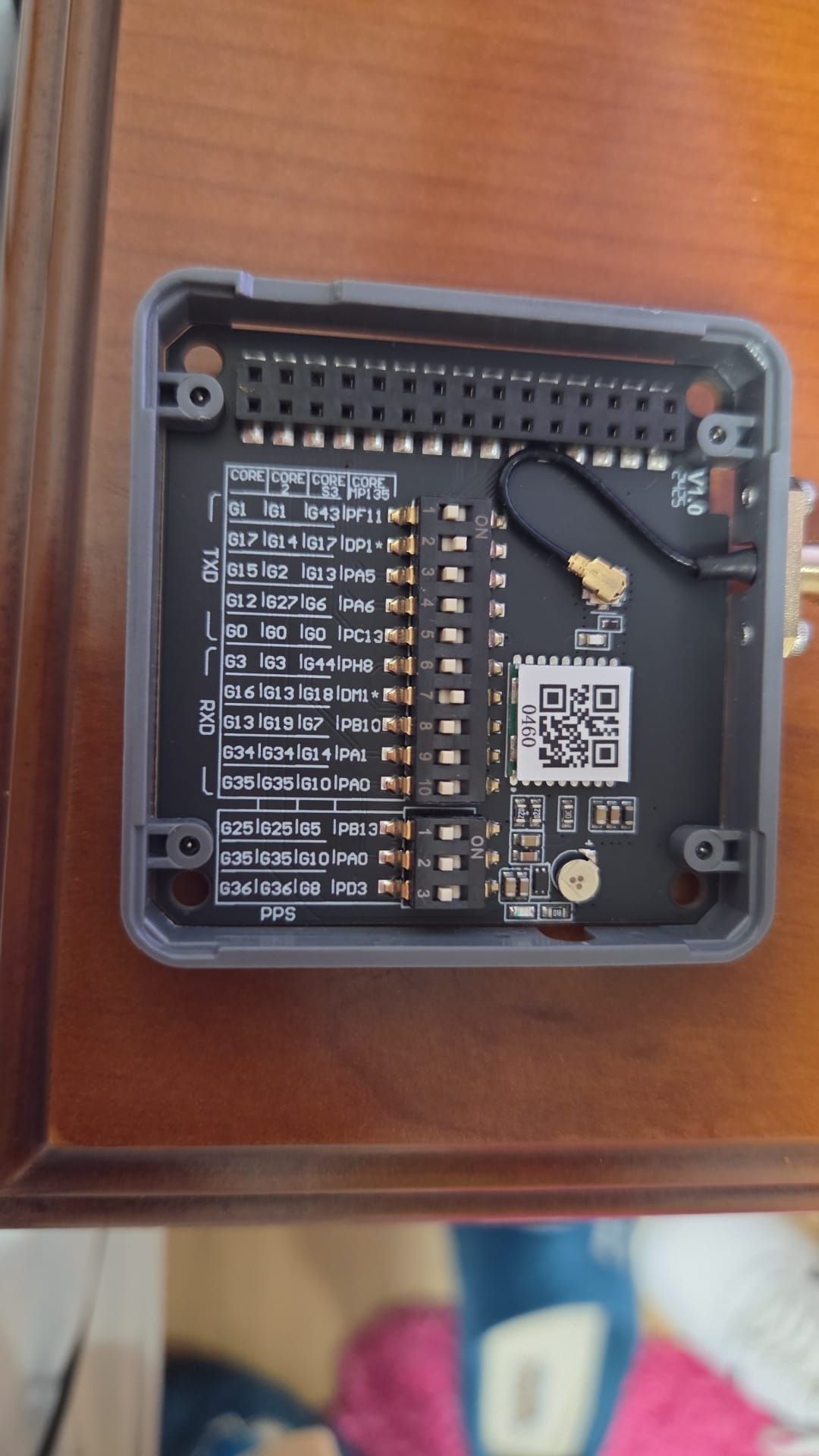
@robski I'm completely new to M5Stack so I'm not sure if this should be working. Here it is:
#include <M5Core2.h>
#include <TinyGPS++.h>

TinyGPSPlus gps;
HardwareSerial GPSRaw(2);

void setup() {
  M5.begin();
  M5.Lcd.setTextSize(2);
  M5.Lcd.setTextColor(TFT_YELLOW);
  M5.Lcd.println("Test GPS v2.1 - Core2");
  M5.Lcd.setTextColor(TFT_WHITE);
  M5.Lcd.println("Waiting satellites...");

  GPSRaw.begin(9600, SERIAL_8N1, 13, 14);
}

void loop() {
  M5.update();

  while (GPSRaw.available() > 0) {
    gps.encode(GPSRaw.read());
  }

  if (gps.location.isUpdated()) {
    M5.Lcd.fillRect(0, 60, 320, 180, BLACK);
    M5.Lcd.setCursor(0, 60);

    M5.Lcd.setTextColor(TFT_GREEN);
    M5.Lcd.printf("Connected satellites: %d\n\n", gps.satellites.value());

    M5.Lcd.setTextColor(TFT_WHITE);
    M5.Lcd.printf("LAT: %.6f\n", gps.location.lat());
    M5.Lcd.printf("LNG: %.6f\n", gps.location.lng());
    M5.Lcd.printf("HGH: %.1f meters\n\n", gps.altitude.meters());

    // UTC hour sync with satell
    if (gps.time.isValid()) {
      M5.Lcd.setTextColor(TFT_CYAN);
      M5.Lcd.printf("UTC hour: %02d:%02d:%02d\n", gps.time.hour(), gps.time.minute(), gps.time.second());
    }
  }
}```