How do you change volume on Core2
-
Under "Speaker" in UIFLOW there is the ability to play wave files but the next step is to obviously change volume. Does anyone know how to change volume on a Core2 in UIFLOW or Python?
-
Hello, under hardware -> speaker -> there is a block called "setVolume" that you can use to change the volume of your Core device :)
-
Is there a C/C++ way to set volume?
-
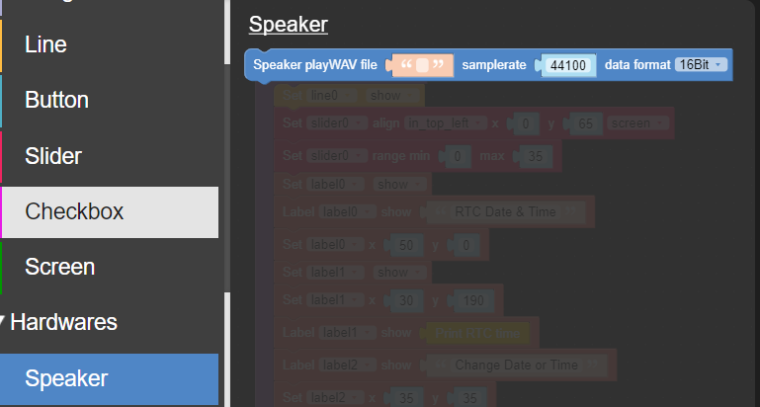
On the Grey Core UIFLOW there is a volume command but on under the CORE2 Beta UIFLOW I cannot find one. Here is a screenshot. Let me know what you think. Thanks
-
-
@zontex OK thanks for the reply. I guess you could set the volume of the .WAV files in the pc program “Audacity”.
But user volume control would be nice. -
@bobolink FYI to myself
If you have an engineering background--part of Micropython--
module 'dba: calculate dBA (A-weighting decibels) from an input stream of digital audio samples
module 'i2stools': function to efficiently extract sample data from a buffer filled by I2S
Signal processing (logical shifts--fractional multiply) on the PCM samples instead of hardware volume control gets the job done also.

Hello! It looks like you're interested in this conversation, but you don't have an account yet.
Getting fed up of having to scroll through the same posts each visit? When you register for an account, you'll always come back to exactly where you were before, and choose to be notified of new replies (either via email, or push notification). You'll also be able to save bookmarks and upvote posts to show your appreciation to other community members.
With your input, this post could be even better 💗
Register Login