UIFlow Custom Block Maker Missing Components
-
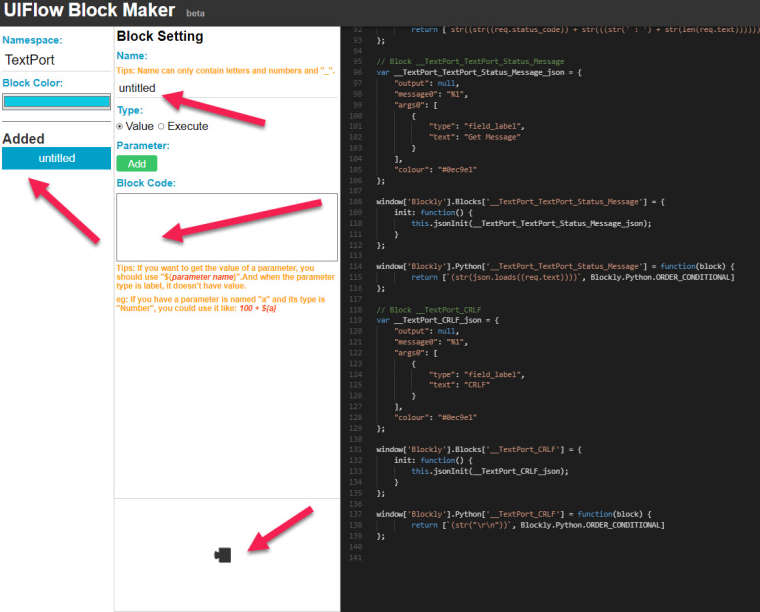
I created a custom block and tested it everything worked fine. A few days later I came back to edit a few things and found that the code was still there on the right but the block components did not show up and the code in the block code section did not show as well. Has anyone experienced this and if so how did you resolve it. See the picture I attached I placed red arrows everywhere the components are missing.

-
Well the image didn't get posted due to a server error. So to clarify all the code on the right is correct everything that I entered on the right is now missing.
-
-
The expect this is due to the api upgrade

Hello! It looks like you're interested in this conversation, but you don't have an account yet.
Getting fed up of having to scroll through the same posts each visit? When you register for an account, you'll always come back to exactly where you were before, and choose to be notified of new replies (either via email, or push notification). You'll also be able to save bookmarks and upvote posts to show your appreciation to other community members.
With your input, this post could be even better 💗
Register Login