🤖Have you ever tried Chat.M5Stack.com before asking??😎

Subcategories

  • Lessons and Guides for Uiflow

    125 Topics
    434 Posts
    A
    Hi, I'm a new user of M5stack products, having got an M5StickC Plus2 recently. It's a nice device, but the documentation isn't always accurate which makes learning how to use it a slow process. I tried to use the example for drawing a raw buffer to the screen here But it resulted in different garbled output each time and not a green rectangle. It seems that the len parameter is expecting 16-bit entries in the buffer so needs to be halved. Here's the code that works on my device (note the //2 for len parameter): width, height = 40, 30 green565 = 0x07E0 raw_buf = bytearray(width * height * 2) for i in range(width * height): raw_buf[2*i] = (green565 >> 8) & 0xFF raw_buf[2*i+1] = green565 & 0xFF Display.drawRawBuf(raw_buf, 100, 100, width, height, len(raw_buf)//2, swap=False) Hopefully this will help others and eventually get changed in the docs - assuming it's the same for all UIFlow2 supported devices? If anybody knows a fix to make it work properly for lower than 16bit depth screens so I can draw a raw buffer to a 1-bit canvas properly, please let me know!
  • 211 Topics
    789 Posts
    robskiR
    @GiovanniCaenazzo disconnect M5Dial press and hold boot button at the back ofM5Dial - in the middle of Stamp Controller - it is very gentle switch connect M5Dial to USB M5Burner should detect com port in boot mode
  • 11 Topics
    33 Posts
    A
    @jeanfabre On web, just choice block type. [image: 1729260517944-86b7a25c93207d9a32e5b33471bb1f0.png] For code, add return description like this: def func(self) -> int: return 0
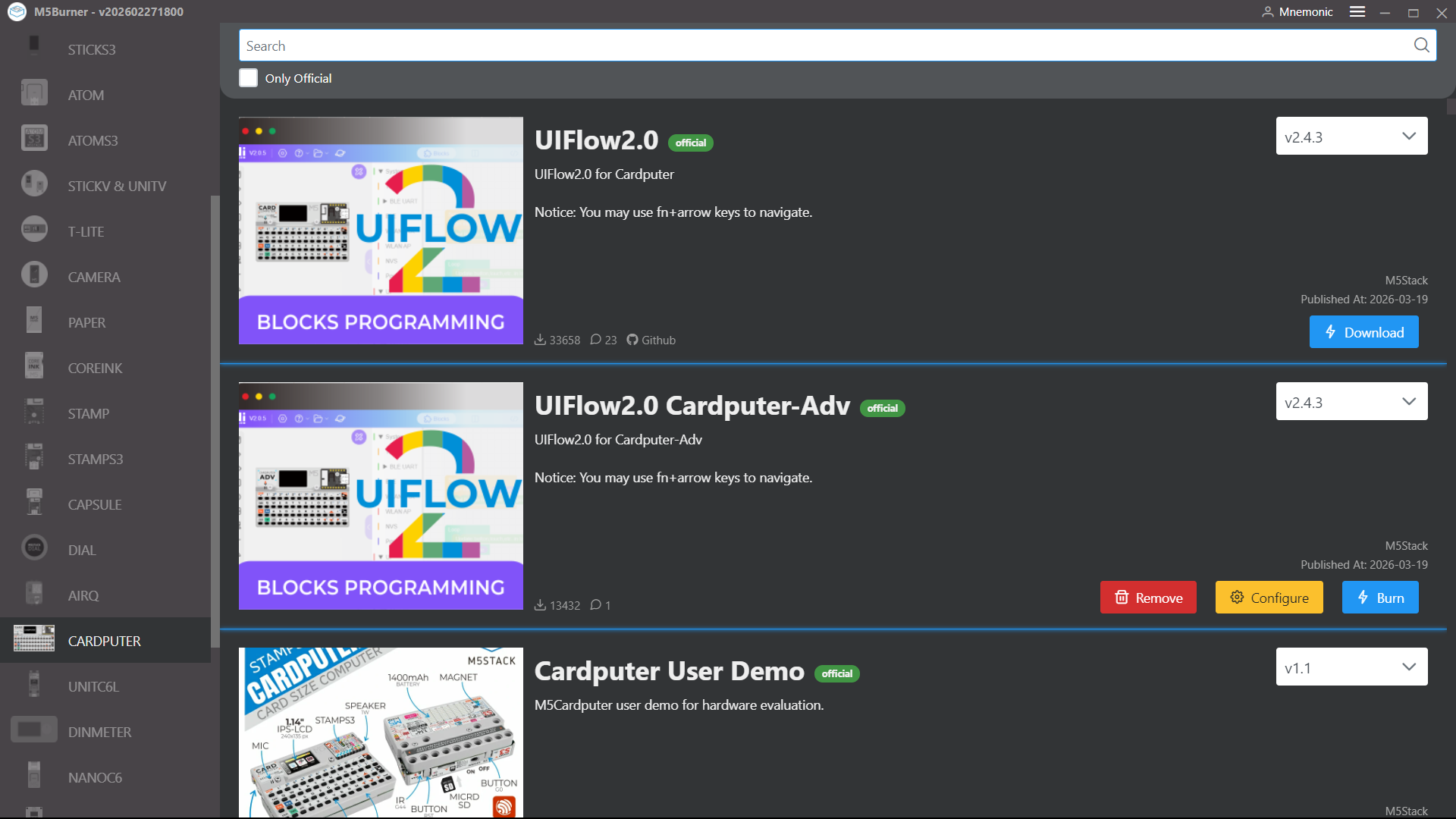
  • UIFlow2.0 ADV V2.4.3 not Burning

    2
    1
    0 Votes
    2 Posts
    388 Views
    S
    I have the same problem too. It works with 2.4.2.
  • myCobot 320 UIFlow comunication problems

    10
    0 Votes
    10 Posts
    5k Views
    Q
    @DarthLost were you able to get the mycobot to connect? If so, any tips would help. Thank you
  • UIFlow2 and just general problems that should be here.

    1
    0 Votes
    1 Posts
    178 Views
    No one has replied
  • 0 Votes
    2 Posts
    333 Views
    robskiR
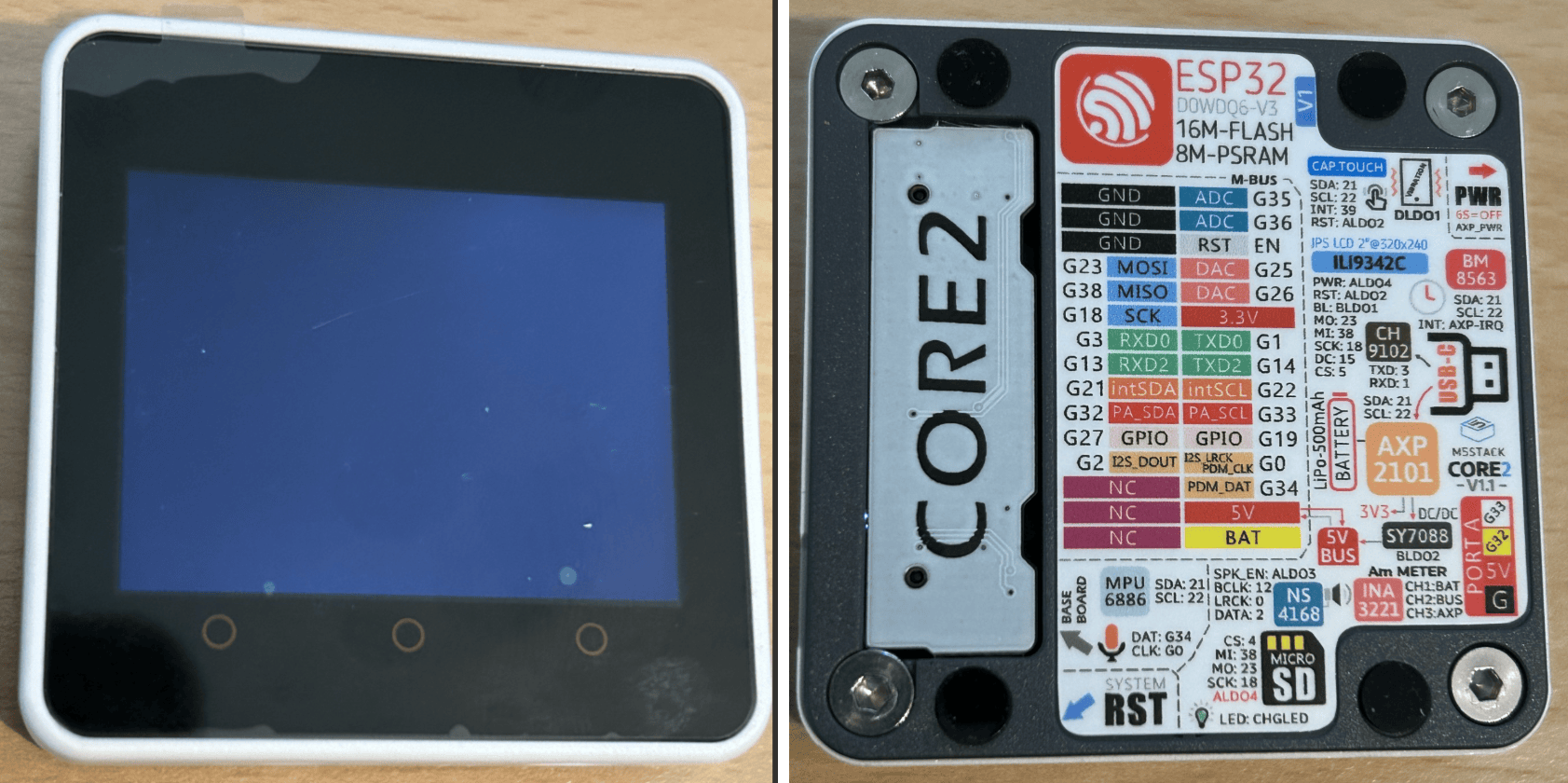
    @Morle not sure but i see 2 diff versions here what is burned to what is running on your machine locally is all fine with uiflow 2 online version? [image: 1772718568866-uiflow1.jpg] [image: 1772718607213-uiflow.jpg]
  • digital write pin issue

    3
    2
    0 Votes
    3 Posts
    405 Views
    G
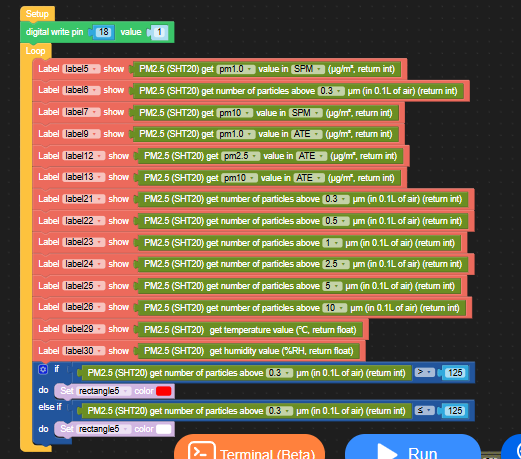
    @robski You are right. I now use pin 33. All sensors keep updating. Now i have to built a relay cirquit for our 230volt net. Thanks!
  • M5Paper V1.1 - Simple loop stops counting

    4
    1
    0 Votes
    4 Posts
    949 Views
    V
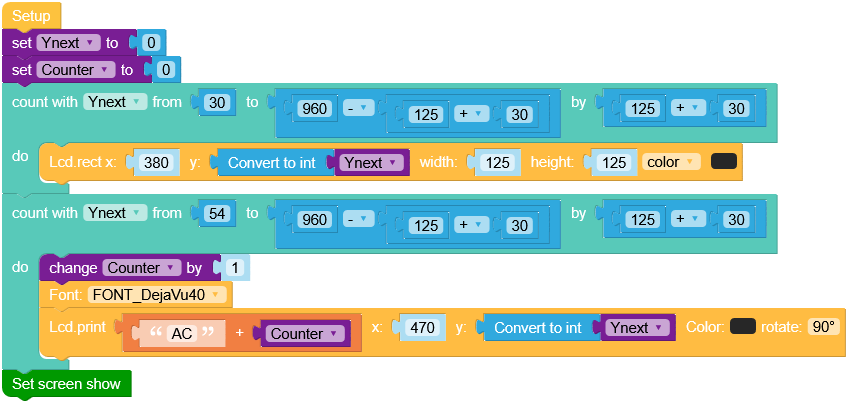
    @robski Adding 24 is exactly the same as my solution, 30+24=54 and changing the "to" in the loop block will change the python end2 value. It should then work as expected.
  • M5Stamp-Pico Solid Blue Light

    8
    1 Votes
    8 Posts
    5k Views
    RIDDSprojectsR
    I'm having the same problem. Module 1 worked for a while, module 2 was provided with firmware straight out of the box, but I did not test it further. Module 1: The firmware can be reprogrammed, but it doesn't solve the problem. The LED also turns blue if the wrong Wi-Fi SSID and password are entered, which is not what's expected (the LED should turn red!). Module 2: The firmware cannot be updated (I'm currently investigating this because the PICO D4 is soldered directly to a PCB; see also: https://forum.m5stack.com/topic/8007/serial-connection-problem-and-connection-to-server-failed).
  • This topic is deleted!

    1
    0 Votes
    1 Posts
    3 Views
    No one has replied
  • M5burner issue Arch Linux

    3
    0 Votes
    3 Posts
    1k Views
    bschwahnB
    @kumohoshi42 Thanks for sharing how you resolved the problem!
  • Is there an open file block on UIFLOW 2.0?

    1
    1
    0 Votes
    1 Posts
    515 Views
    No one has replied
  • UIFlow2.0 Tab5

    12
    0 Votes
    12 Posts
    7k Views
    R
    @felmue said in UIFlow2.0 Tab5: Hello @Handcannon yes, I see that too. It seems that the latest versions (2.3.5 and 2.3.6) have power to port A disabled. E.g. port A has no power. Please find my example in the UIFlow2 Project Zone which manually turns on power to port A: M5Tab5_Enable_Ext5V_EnvIV_Test_UIFlow2.3.6 I created an issue on github for this issue. Thanks Felix I tried recreating your M5Tab5 script for the Core 2 and got these results: (I realise that the RGB Unit doesn't use I2C but for port A to work I think I need to set it up in the same way anyway.) The code: import os, sys, io import M5 from M5 import * import m5ui import lvgl as lv from unit import RGBUnit from hardware import I2C from hardware import Pin import time page0 = None switch0 = None i2c0 = None rgb_0 = None bytearrayone = None def setup(): global page0, switch0, i2c0, rgb_0, bytearrayone M5.begin() Widgets.setRotation(1) m5ui.init() page0 = m5ui.M5Page(bg_c=0xffffff) switch0 = m5ui.M5Switch(x=130, y=105, w=60, h=30, bg_c=0xe7e3e7, bg_c_checked=0x2196f3, circle_c=0xffffff, parent=page0) page0.screen_load() bytearrayone = bytearray(1) i2c0 = I2C(0, scl=Pin(33), sda=Pin(32), freq=100000) i2c0.readfrom_mem_into(0x43, 0x03, bytearrayone) # set PI4IO P2 (Ext5V enable) as output print(hex(myByteArr[0])) myByteArr[0] |= 0x04 print(hex(myByteArr[0])) i2c0.writeto_mem(0x43, 0x03, bytearrayone) i2c0.readfrom_mem_into(0x43, 0x05, bytearrayone) # set PI4IO P2 (Ext5V enable) to high print(hex(myByteArr[0])) myByteArr[0] |= 0x04 print(hex(myByteArr[0])) i2c0.writeto_mem(0x43, 0x05, bytearrayone) time.sleep(1) rgb_0 = RGBUnit((33, 32), 3) def loop(): global page0, switch0, i2c0, rgb_0, bytearrayone M5.update() rgb_0.set_brightness(100) if switch0.has_state(lv.STATE.CHECKED): rgb_0.set_color(0, 0x6600cc) else: rgb_0.set_color(0, 0x000000) if __name__ == '__main__': try: setup() while True: loop() except (Exception, KeyboardInterrupt) as e: try: m5ui.deinit() from utility import print_error_msg print_error_msg(e) except ImportError: print("please update to latest firmware") 1st attempt: E (725096) i2c: i2c driver install error E (725128) i2c: i2c driver install error E (725275) i2c: i2c driver install error Traceback (most recent call last): File "<stdin>", line 49, in <module> File "<stdin>", line 25, in setup OSError: [Errno 116] ETIMEDOUT 2nd attempt: E (740623) i2c: i2c driver install error E (740655) i2c: i2c driver install error A fatal error occurred. The crash dump printed below may be used to help determine what caused it. If you are not already running the most recent version of MicroPython, consider upgrading. New versions often fix bugs. To learn more about how to debug and/or report this crash visit the wiki page at: https://github.com/micropython/micropython/wiki/ESP32-debugging MPY version : v1.25.0-dirty on 2025-09-30 IDF version : v5.4.2-dirty Machine : M5STACK Core2 with ESP32(SPIRAM) Guru Meditation Error: Core 1 panic'ed (LoadProhibited). Exception was unhandled. Core 1 register dump: PC : 0x40166a09 PS : 0x00060730 A0 : 0x800dc068 A1 : 0x3ffd92f0 A2 : 0x00000000 A3 : 0x3f4329e7 A4 : 0x00000000 A5 : 0x00000000 A6 : 0x00000001 A7 : 0x3ffd92f0 A8 : 0x00000074 A9 : 0x3ffc1090 A10 : 0x00000000 A11 : 0x3ffd94b0 A12 : 0x00000000 A13 : 0x00000001 A14 : 0x00000000 A15 : 0x00000004 SAR : 0x00000020 EXCCAUSE: 0x0000001c EXCVADDR: 0x00000088 LBEG : 0x400945b2 LEND : 0x400945bd LCOUNT : 0x00000000 Backtrace: 0x40166a06:0x3ffd92f0 0x400dc065:0x3ffd9330 0x400f5729:0x3ffd9350 0x400dc46d:0x3ffd9390 0x401ec3f5:0x3ffd93d0 0x401ec4bf:0x3ffd93f0 0x40087c62:0x3ffd9410 0x401e65a8:0x3ffd94b0 0x401ec3f5:0x3ffd9510 0x402161ac:0x3ffd9530 0x402161e9:0x3ffd9570 0x401ec3f5:0x3ffd9590 0x401ec479:0x3ffd95b0 0x402187a4:0x3ffd95e0 0x401ed36c:0x3ffd9660 0x4008739e:0x3ffd9680 0x401e65a8:0x3ffd9720 0x401ec3f5:0x3ffd9770 0x401ec4bf:0x3ffd9790 0x40087c62:0x3ffd97b0 0x401e65a8:0x3ffd9850 0x401ec3f5:0x3ffd9880 0x401ec40e:0x3ffd98a0 0x4021bbf6:0x3ffd98c0 0x4021beda:0x3ffd9950 0x401fde08:0x3ffd9990 ELF file SHA256: 1843f6d45 Rebooting... ets Jul 29 2019 12:21:46 rst:0xc (SW_CPU_RESET),boot:0x13 (SPI_FAST_FLASH_BOOT) configsip: 0, SPIWP:0xee clk_drv:0x00,q_drv:0x00,d_drv:0x00,cs0_drv:0x00,hd_drv:0x00,wp_drv:0x00 mode:DIO, clock div:1 load:0x3fff0030,len:4340 load:0x40078000,len:15972 load:0x40080400,len:4 ho 8 tail 4 room 4 load:0x40080404,len:3656 entry 0x400805c0 _ __ _ _ _(_)/ _| | _____ __ | | | | | |_| |/ _ \ \ /\ / / | |_| | | _| | (_) \ V V / \__,_|_|_| |_|\___/ \_/\_/ V2.3.6-hotfix2 E (2840) i2c: i2c driver install error

  • No files ever work with the Speaker

    2
    0 Votes
    2 Posts
    857 Views
    M
    This is because UIFlow2.0 sucks with the M5Go. Almost no hardware works. I would abandon all the silly BS and go right to PlatformIO if you want to avoid pulling your hair out. This ecosystem is so convoluted. I thought I might buy these for presents for kids. No way. Your average parent could not make this shit work ever.
  • key

    2
    2
    0 Votes
    2 Posts
    3k Views
    H
    @dingfanshou said in key: Why can't it connect even though the password is the same? In the config I see "Start Mode" is "USB Mode". This means, your device is not connecting to WiFi at startup unless a previously stored program does. Change the mode and try again.
  • Unable to run UIFlow or M5Burner on Win10

    21
    1 Votes
    21 Posts
    33k Views
    P
    It's good to see discussions like this.
  • This topic is deleted!

    1
    0 Votes
    1 Posts
    25 Views
    No one has replied
  • M5Tab fatal error

    1
    1
    0 Votes
    1 Posts
    3k Views
    No one has replied
  • Unable to run UIFlow or M5Burner on Win10

    1
    0 Votes
    1 Posts
    1k Views
    No one has replied
  • No RGB LED unit for UIFLOW 2.0?

    6
    0 Votes
    6 Posts
    4k Views
    felmueF
    Hi guys have you tried the RGB module in Hardware? Works fine for me. I created an example using an M5Atom to control 10 SK6812 RGB LEDs. You can find it in the UIFlow2 Project Zone: M5Atom_RGB_Test_UiFlow2.3.3 Thanks Felix
  • UIFlow TAB5 text scaling

    2
    0 Votes
    2 Posts
    3k Views
    S
    I did a check and set scaling to 1 and the display is properly shown i.e. as 9:59 etc
  • UIFlow digital input interrupt

    13
    0 Votes
    13 Posts
    26k Views
    A
    @bozho did you have any luck. It is clear on Uiflow1 how to detect rising inputs but I don't see this on Uiflow2...or is this is actually what is meant by the 'button press' block on the 'pin button' hardware module?