M5stack fails to connect with blynk
-
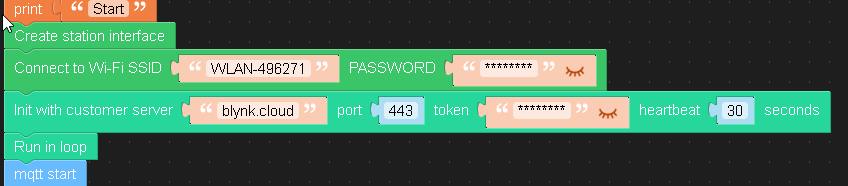
Hello guys, i tried to run blynk, but i canot connect my atomlite's to blynk. i tried port 8080, 443 and 80 but the devices doesnt shows up in blynk as Online here is my configuration
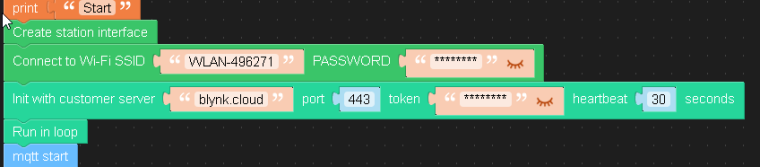
print('Start')
wlan = network.WLAN(network.STA_IF)
blynk1 = blynk.Blynk(server='blynk.cloud', port=80, token='XXXX', heartbeat=30)
blynk1.run()
m5mqtt.start()Any ideas?
-
-
I created a timer
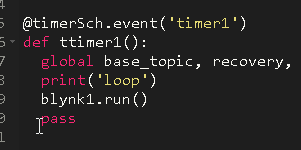
and every 500 ms its called. still no connection

in Debug i see the prints start and loop :
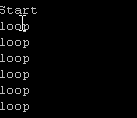
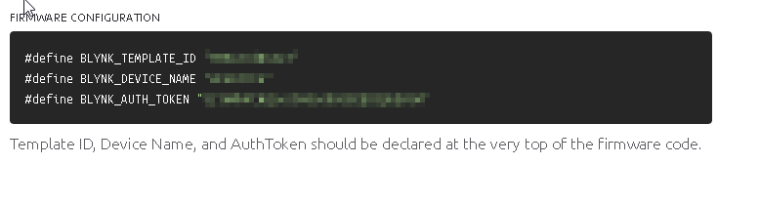
i only used the AUTH_TOKEN, in bylnk cloud there are more things defined, you think this is the problem?
-
Hello @mm-uiflow
yes, I think to successfully connect to blynk.cloud.com the template id is required as well. See here - check section [IMPORTANT] a bit down the page.
I've done a quick test with Arduino Blynk code and my M5Core2 connected immediately. But with UIFlow my M5Core2 doesn't connect at all.
I think UIFlow Blynk blocks need to be adapted to the new template id requirement.
Thanks
Felix -
You can't connect to Blynk 2.0 until there is a big rebuild of the firmware as blynk uses the Virtual twin aka template method to connect whereas the old Blynk just used the username password combo.
-
Not only that but the OLD password system has been upgraded to use certificates and encryption keys.


Hello! It looks like you're interested in this conversation, but you don't have an account yet.
Getting fed up of having to scroll through the same posts each visit? When you register for an account, you'll always come back to exactly where you were before, and choose to be notified of new replies (either via email, or push notification). You'll also be able to save bookmarks and upvote posts to show your appreciation to other community members.
With your input, this post could be even better 💗
Register Login