How to remove Labels and Touch Buttons?
-
I create a GUI with Labels and Touch Buttons, then I want to clear the screen and draw a clock. But even though I hide the elements and delete them, they are still shown as white outline.
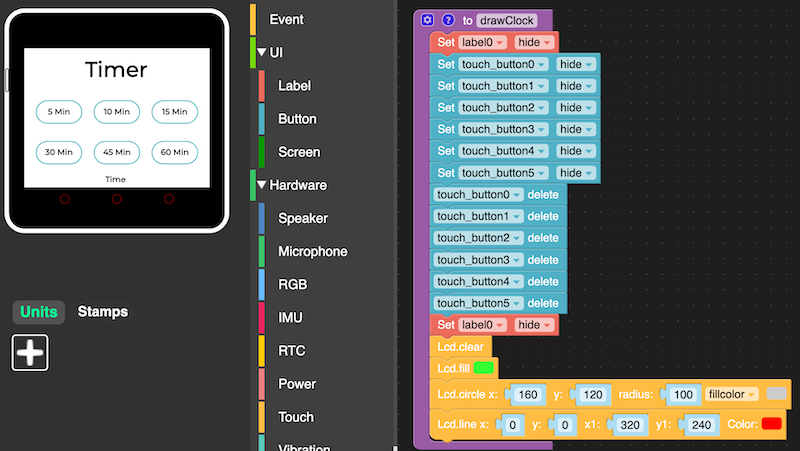
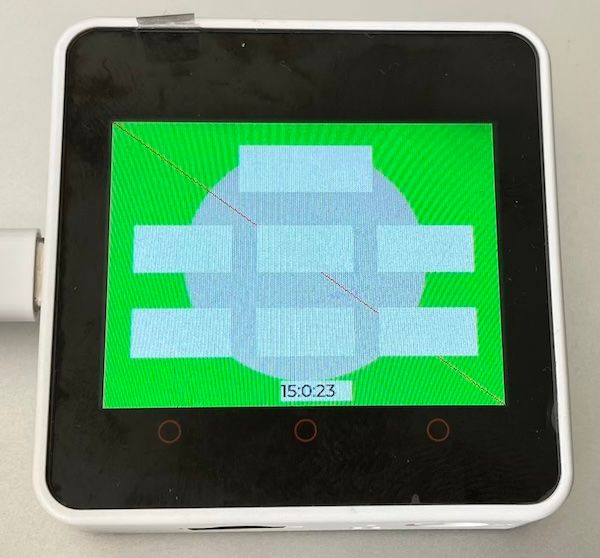
How to fully hide GUI designer elements to have a blank screen to draw onto?
-
@mb try screen fill set to black.
-
To remove labels and touch buttons, access the interface design or software settings. Locate the labels and buttons section, and delete or disable them. Save changes. Refer to user manuals or guides for specific instructions tailored to your device or platform.

Hello! It looks like you're interested in this conversation, but you don't have an account yet.
Getting fed up of having to scroll through the same posts each visit? When you register for an account, you'll always come back to exactly where you were before, and choose to be notified of new replies (either via email, or push notification). You'll also be able to save bookmarks and upvote posts to show your appreciation to other community members.
With your input, this post could be even better 💗
Register Login