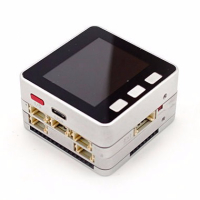
M5CAM board in Arduino
-
I am new to the electronic world and I am trying to run a demo code on a M5CAM with the Arduino IDE i just dont know how to manage the board. I guess there is something i need to install but i am really not sure. Any idea how ?
-
-
install esp32 board in the board manager(before install you need add board url to the perferences. detail you could refer this tutorial :https://docs.m5stack.com/#/en/arduino/arduino_development).
-
use the esp32 official example for esp32 cam.
github link:
https://github.com/espressif/arduino-esp32/tree/master/libraries/ESP32/examples/Camera/CameraWebServer
-
-
Thank you very much it was really helpful !
-
@m5stack i just recently had a problem using the code you provided me, it appears that the sketch is too big. It says "Sketch uses 2053855 bytes (156%) of program storage space. Maximum is 1310720 bytes."
Is this a problem with my computer ? it is 8 ram and 1tb memory, core i7 7th generation intel processor -
@carol-villegas oh, i forget some detail. you need setup the partition scheme to "No OTA"
Tool--->partition scheme-----No OTA -
With M5Cam is there a menu config example to make this work correctly. I have tried many configurations and it reboots on load .
Any suggestions would be great, I have had it working with the firmware you supply but cannot get the menu config working.
Thanks
Rebooting...
ets Jun  8 2016 00:22:57

rst:0xc (SW_CPU_RESET),boot:0x13 (SPI_FAST_FLASH_BOOT)
configsip: 0, SPIWP:0xee
clk_drv:0x00,q_drv:0x00,d_drv:0x00,cs0_drv:0x00,hd_drv:0x00,wp_drv:0x00
mode:DIO, clock div:1
load:0x3fff0030,len:4
load:0x3fff0034,len:7500
load:0x40078000,len:15364
load:0x40080400,len:4832
entry 0x400806a0
I (29) boot: ESP-IDF v4.3-dev-472-gcf056a7d0 2nd stage bootloader
I (29) boot: compile time 17:27:20
I (29) boot: chip revision: 1
I (33) boot_comm: chip revision: 1, min. bootloader chip revision: 0
I (40) qio_mode: Enabling default flash chip QIO
I (46) boot.esp32: SPI Speed      : 80MHz
I (50) boot.esp32: SPI Mode       : QIO
I (55) boot.esp32: SPI Flash Size : 4MB
I (59) boot: Enabling RNG early entropy source...
I (65) boot: Partition Table:
I (68) boot: ## Label            Usage          Type ST Offset   Length
I (76) boot:  0 factory          factory app      00 00 00010000 003c0000
I (83) boot:  1 nvs              WiFi data        01 02 003d0000 00004000
I (91) boot: End of partition table
I (95) boot_comm: chip revision: 1, min. application chip revision: 0
I (102) esp_image: segment 0: paddr=0x00010020 vaddr=0x3f400020 size=0x1af514 (1766676) map
I (723) esp_image: segment 1: paddr=0x001bf53c vaddr=0x3ffb0000 size=0x00adc (  2780) load
I (724) esp_image: segment 2: paddr=0x001c0020 vaddr=0x400d0020 size=0x2ddd4 (187860) map
I (795) esp_image: segment 3: paddr=0x001eddfc vaddr=0x3ffb0adc size=0x02154 (  8532) load
I (798) esp_image: segment 4: paddr=0x001eff58 vaddr=0x40080000 size=0x00404 (  1028) load
I (802) esp_image: segment 5: paddr=0x001f0364 vaddr=0x40080404 size=0x10724 ( 67364) load
I (847) boot: Loaded app from partition at offset 0x10000
I (847) boot: Disabling RNG early entropy source...
I (859) psram: This chip is ESP32-D0WD
E (859) psram: PSRAM ID read error: 0xffffffff
E (859) spiram: SPI RAM enabled but initialization failed. Bailing out.
I (864) cpu_start: Failed to init external RAM; continuing without it.
I (871) cpu_start: Pro cpu up.
I (875) cpu_start: Starting app cpu, entry point is 0x40081740
I (867) cpu_start: App cpu up.
I (897) cpu_start: Pro cpu start user code
I (897) cpu_start: Application information:
I (897) cpu_start: Project name:     recognition_command_line
I (904) cpu_start: App version:      v0.9.3-46-g2470e47
I (910) cpu_start: Compile time:     Jul 25 2020 17:53:11
I (916) cpu_start: ELF file SHA256:  aabc8d81184a741d...
I (922) cpu_start: ESP-IDF:          v4.3-dev-472-gcf056a7d0
I (928) heap_init: Initializing. RAM available for dynamic allocation:
I (935) heap_init: At 3FFAE6E0 len 00001920 (6 KiB): DRAM
I (941) heap_init: At 3FFB45F0 len 0002BA10 (174 KiB): DRAM
I (948) heap_init: At 3FFE0440 len 00003AE0 (14 KiB): D/IRAM
I (954) heap_init: At 3FFE4350 len 0001BCB0 (111 KiB): D/IRAM
I (960) heap_init: At 40090B28 len 0000F4D8 (61 KiB): IRAM
I (967) spi_flash: detected chip: gd
I (971) spi_flash: flash io: qio
I (976) cpu_start: Starting scheduler on PRO CPU.
I (0) cpu_start: Starting scheduler on APP CPU.
I (986) sccb: pin_sda 25 pin_scl 23

I (1126) camera: Detected OV2640 camera
I (1126) gpio: GPIO[19]| InputEn: 1| OutputEn: 0| OpenDrain: 0| Pullup: 1| Pulldown: 0| Intr:0
I (1126) gpio: GPIO[36]| InputEn: 1| OutputEn: 0| OpenDrain: 0| Pullup: 1| Pulldown: 0| Intr:0
I (1136) gpio: GPIO[18]| InputEn: 1| OutputEn: 0| OpenDrain: 0| Pullup: 1| Pulldown: 0| Intr:0
I (1146) gpio: GPIO[39]| InputEn: 1| OutputEn: 0| OpenDrain: 0| Pullup: 1| Pulldown: 0| Intr:0
I (1156) gpio: GPIO[5]| InputEn: 1| OutputEn: 0| OpenDrain: 0| Pullup: 1| Pulldown: 0| Intr:0
I (1166) gpio: GPIO[34]| InputEn: 1| OutputEn: 0| OpenDrain: 0| Pullup: 1| Pulldown: 0| Intr:0
I (1176) gpio: GPIO[35]| InputEn: 1| OutputEn: 0| OpenDrain: 0| Pullup: 1| Pulldown: 0| Intr:0
I (1186) gpio: GPIO[17]| InputEn: 1| OutputEn: 0| OpenDrain: 0| Pullup: 1| Pulldown: 0| Intr:0
I (1196) gpio: GPIO[22]| InputEn: 1| OutputEn: 0| OpenDrain: 0| Pullup: 1| Pulldown: 0| Intr:0
I (1206) gpio: GPIO[26]| InputEn: 1| OutputEn: 0| OpenDrain: 0| Pullup: 1| Pulldown: 0| Intr:0
I (1216) gpio: GPIO[21]| InputEn: 1| OutputEn: 0| OpenDrain: 0| Pullup: 1| Pulldown: 0| Intr:0
I (1226) camera: Allocating 1 frame buffers (15 KB total)
I (1226) camera: Allocating 15 KB frame buffer in OnBoard RAM
I (1366) app_process: Get one frame in 34 ms.
Item psram alloc failed. Size: 230400 x 1
matrix3du item alloc failed.
Guru Meditation Error: Core  1 panic'ed (LoadProhibited). Exception was unhandled.

Core  1 register dump:
PC      : 0x400d8d45  PS      : 0x00060330  A0      : 0x8008a43c  A1      : 0x3ffc08d0
A2      : 0x3ffb8288  A3      : 0x00000003  A4      : 0x00000000  A5      : 0x00000140
A6      : 0x000623d6  A7      : 0x000000f0  A8      : 0x800d8d24  A9      : 0x3ffc08b0
A10     : 0x3ffb83cc  A11     : 0x00000001  A12     : 0x00000000  A13     : 0x00038404
A14     : 0x00000000  A15     : 0x00000001  SAR     : 0x00000004  EXCCAUSE: 0x0000001c
EXCVADDR: 0x00000014  LBEG    : 0x400885f9  LEND    : 0x40088609  LCOUNT  : 0xfffffff8

Backtrace:0x400d8d42:0x3ffc08d0 0x4008a439:0x3ffc0950


ELF file SHA256: aabc8d81184a741d
Hello! It looks like you're interested in this conversation, but you don't have an account yet.
Getting fed up of having to scroll through the same posts each visit? When you register for an account, you'll always come back to exactly where you were before, and choose to be notified of new replies (either via email, or push notification). You'll also be able to save bookmarks and upvote posts to show your appreciation to other community members.
With your input, this post could be even better 💗
Register Login