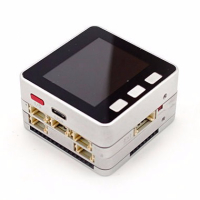
M5Stack Fire won’t connect to IPhone hotspot
-
I can’t get my M5 to connect to my iPhone personal hotspot on my XSMax. I’m not connected to a WiFi connection, my hotspot name is Kelly, no spaces or anything, I put the M5 in the select Wi-Fi Ap mode and go to the IP address shown on the screen and the connection page comes up. My hotspot isn’t listed which I think is probably my first clue it’s not going to work and then I click the other box and type in Kelly and the password, but it will not connect. I plan to try it with anothe lr hotspot if I get a chance. I thought I had wrote my program where if it didn’t find a WiFi connection, it would not matter, but I guess not.
-
your other device connect the hotspot is normal?
maybe you could try to remove the battery bottom. then try again.
-
@m5stack That did the trick! Thank you! I was able to get it connected without the battery. So can I attach the battery now?
-
Hi, I have been looking all over and not able to solve it yet, I have a Fire, and will not connect to wifi, I have tried no spaces, no battery, etc, no luck.
I have tried different routers and still not working.
only once I had been able to connect to wifi, very long ago, I can access it as AP, but no way to get it to connect to a wifi network.any help?
thanks -
Check the WiFi frequency band. ESP32 is only compatible to 2.4GHz WiFi networks. Some iPhone use 5GHz by default but there is a compatibility mode for switching down to 2.4GHz.
Hello! It looks like you're interested in this conversation, but you don't have an account yet.
Getting fed up of having to scroll through the same posts each visit? When you register for an account, you'll always come back to exactly where you were before, and choose to be notified of new replies (either via email, or push notification). You'll also be able to save bookmarks and upvote posts to show your appreciation to other community members.
With your input, this post could be even better 💗
Register Login