M5stack Faces LCD REPL Micropython SOLVED
-
-
Days of trying to install micropython on the Faces Kit I bought on Amazon. The solution I used is this. On my Mac;
- M5Burner; erase device.
- Go to https://github.com/m5stack/FACES-Firmware/
- Download the master.zip Unzip. Find m5stack-micropython-tft-repl-v1.0.bin
- On the Mac goto Applications, right click M5burner App, "Show Package Contents"
- Navigate to the /FW/ directory, in resources, I believe.
- Copy the file UIFlow-v1.7.1-en.bin to a safe place.
- Copy the m5stack-micropython-tft-repl-v1.0.bin to this directory.
- Rename the file m5stack-micropython-tft-repl-v1.0.bin to UIFlow-v1.7.1-en.bin
- M5burner, burn the UIFLOW(CORE).
Micropython REPL should now work with the Faces keyboard and LCD.
I never could get Esptool to erase or flash directly on the M5stack. I wasted many hours trying. I have successfully used esptool on all of my ESP8266 and ESP32's.

-
@oviking99 is there a way to burn this using the M5burner and using the user custom setting?
-
I've successfully flashed the FACES-Firmware, using this command line
esptool.py --chip esp32 --port /dev/ttyUSB0 --baud 460800 write_flash -z 0x1000 ./m5stack-micropython-tft-repl-v1.0.binAfter this, I got this prompt:
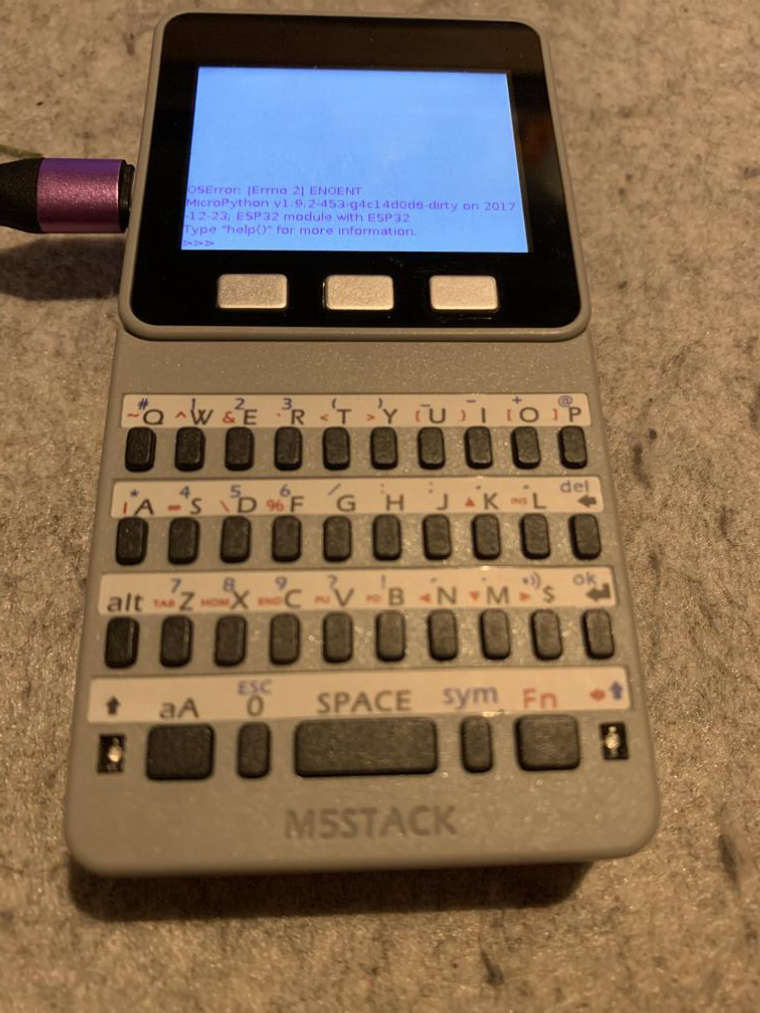
The OSError is due to a missing
main.py. After adding this with mu-edit, the error no longer occurs.The REPL is also available on the serial interfaces, accessing it with
tio /dev/ttyUSB0
Hello! It looks like you're interested in this conversation, but you don't have an account yet.
Getting fed up of having to scroll through the same posts each visit? When you register for an account, you'll always come back to exactly where you were before, and choose to be notified of new replies (either via email, or push notification). You'll also be able to save bookmarks and upvote posts to show your appreciation to other community members.
With your input, this post could be even better 💗
Register Login