UIflow 1.0 Run looks perfect, download everything scrambled
-
I am having a problem when I download using UIFlow, when I run from the program it displays everything correctly in the right location. When I download it copies the location of the buttons, text, lines etc as shown on the UI. As I have lots of menu pages I have written the physical locations of each item and then moved them to the edges of the UI screen. I have to do this as it is so full you cant use the click and drop function when adding new buttons etc. Is there a way to make the UI objects locations be ignored when downloading?
-
They are messing with it at the moment. Weird policy. Ruined my day.
-
@elektron2kim That's not good. Where did you hear this? Is there any update on when the problem will be solved?
-
@G3D_Design They are not messing with it, they are updating the servers, normally happens about once a week.
-
Found a solution, so this is now closed.
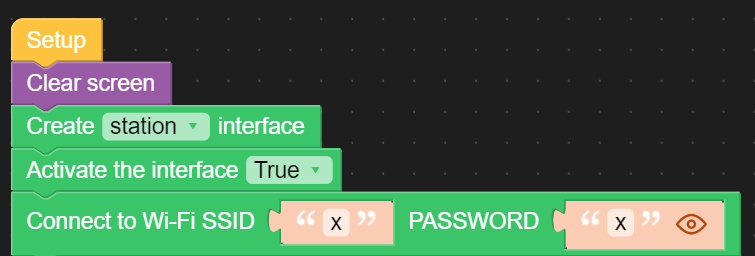
The fix for me was enabling wifi at the start of my code, I knew I needed wifi for the RTC functions but assumed it wouldn't affect positioning of objects, but it did. I added a check loop to make sure wifi is connected before proceeding.

Hello! It looks like you're interested in this conversation, but you don't have an account yet.
Getting fed up of having to scroll through the same posts each visit? When you register for an account, you'll always come back to exactly where you were before, and choose to be notified of new replies (either via email, or push notification). You'll also be able to save bookmarks and upvote posts to show your appreciation to other community members.
With your input, this post could be even better 💗
Register Login