UIFlow 1.6.6
-
Hellos,
That
* BLE bug fix.
mean bluetooth is now supported on UIFlow micropython firmware for M5StickC?If yes, could you shared a simple sample please?
Thanks
-
Hey
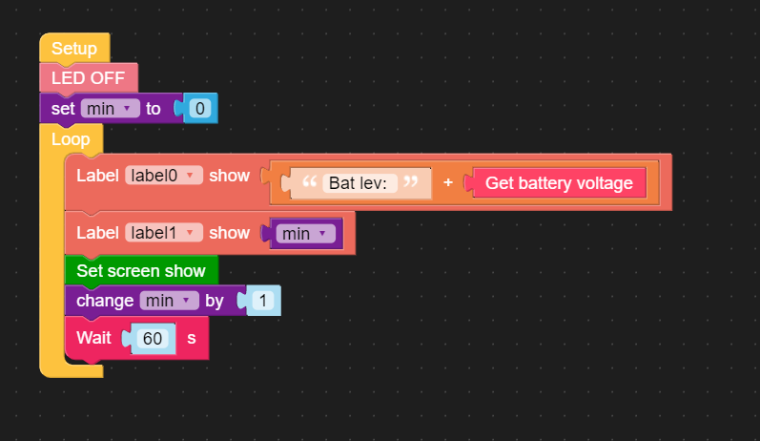
My coreInk is not able to Dowload the Test UI, run is working.
After hit Download i have error in console
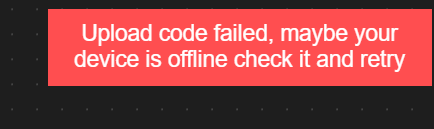
[268314] MQTTException -> Server close socket link
reconnect start ...sample app
-
Well, when I upload 1.6.6 to mey Core2, Blank screen. In the COM Monitor is see something like "Factory partition not Bootable"
I tried many times, I erased the the memory before flashing. Nothing helps. :( 1.6.5.1 works fine.
Should we wait for 1.7 to fix this issue? :)
-
Hi guys
yes, UIFlow 1.6.6 firmware and M5Core2 is broken for me too. M5Core2 is connected to the UIFlow server - I can turn off and on the LED. But the display stays dark. I tried to set the LCD voltage and / or brightness level but that did not help. I assume the display is not properly initialised.
BTW: UIFlow 1.6.6 firmware for M5StickC works fine.
Update: fully powering down (long press power button or briefly removing the battery) restored my M5Core2 with UIFlow 1.6.6 firmware.
Thanks
FelixGPIO translation table M5Stack / M5Core2
Information about various M5Stack products.
Examples -
@jesuslg123 for the time being only for Fire & Core2
-
@mati It's our server bug, fixed! Thanks for feedback.
-
@lelehel Hi, I test it, didn't see the problem like you say.Maybe you should remove the core2 firmware and download it again?If still have this problem just tell me!
-
@felmue Good heard that!If you have any problem,just tell us!We will solve it at work day ASAP!
-
@m5stack said in UIFlow 1.6.6:
@jesuslg123 for the time being only for Fire & Core2
could you shared a simple sample please?
-
@m5stack Thanks. Is there any plan for M5StickC?
-
@jesuslg123 I'm using the version 1.6.6 with both StickC and SticC Plus without any issue
-
@dario said in UIFlow 1.6.6:
@jesuslg123 I'm using the version 1.6.6 with both StickC and SticC Plus without any issue
Are you using Bluetooth on StickC with 1.6.6? They mentioned Bluetooth is still not supported
-
@jesuslg123 Sorry I misunderstood tha you were refering at the bluetooth on StickC and not at the at the firmware version. My bad.
No, I can't find the ubluetooth module on StickC -
@m5stack I had problems downloading firmware updates for cores and drivers for the Arduino IDE over the last 5 days but today it all went well. All downloads worked and my test code on Fire also worked. I was able to download the latest version for Core Ink: 1.6.6.1 and it was able to connect and accept firmware from my Windows PC UIFlow IDE on-line (V1.6.6) but it would not execute any simple programs on Core Ink. It had problems with Core 2 and ended up abandoned it and completed my latest projects with Fire - it is a good stable platform and works with the latest firmware (1.6.6).
-
@dsrc12 said in UIFlow 1.6.6:
@m5stack I had problems downloading firmware updates for cores and drivers for the Arduino IDE over the last 5 days but today it all went well. All downloads worked and my test code on Fire also worked. I was able to download the latest version for Core Ink: 1.6.6.1 and it was able to connect and accept firmware from my Windows PC UIFlow IDE on-line (V1.6.6) but it would not execute any simple programs on Core Ink. It had problems with Core 2 and ended up abandoned it and completed my latest projects with Fire - it is a good stable platform and works with the latest firmware (1.6.6).
Have you tried repeating the process with UIFlow 1.4.5? is the issue only happens on 1.6.6 or also on 1.4.5? I will look into it to see what's going on.




Hello! It looks like you're interested in this conversation, but you don't have an account yet.
Getting fed up of having to scroll through the same posts each visit? When you register for an account, you'll always come back to exactly where you were before, and choose to be notified of new replies (either via email, or push notification). You'll also be able to save bookmarks and upvote posts to show your appreciation to other community members.
With your input, this post could be even better 💗
Register Login